
Rusty and Jack Playing Army Online Coloring Page

Color Rusty and Jack online as the friends team up for an imaginative Army game along an outdoor trail.
How to Color
Easy instructions for young artists
1
Basic Coloring
- 🖱️ Click any white area to fill it with your selected color.
- 📱 Tap on mobile devices to color areas.
- 🎨 Choose colors from the palette, or pick your own custom color.
2
✨ Magic Fill
- ✨ Click Magic Fill to automatically pick a random color or gradient with every click.
- 🎨 Colors mode: adds random solid colors from your active palette.
- 🌈 Gradients mode: adds random gradient fills.
💡 Pro Tip: Switch between Colors and Gradients inside Magic Fill for different random results!
3
🌈 Gradients
- 🌈 Select "Gradients" mode, pick a preset, then click an area to apply it.
- 🖌️ The gradient follows the exact shape of the area you fill.
4
🎮 Controls
- ↩️ Undo / Redo: step backward or forward through your changes.
- 🔄 Reset: start over with a clean image.
- 🔍 Zoom: use the +/− buttons to zoom in or out.
- ✋ Move: once zoomed in, click and drag (or drag with one finger) to move around.
5
💾 Auto-Save
- 💾 Your work saves automatically in this browser — no need to worry about losing progress.
- 🔄 Come back anytime to continue coloring where you left off.
💡 Fun Tips!
- 🎨 Try different color combinations to make your art unique!
- ✨ Use Magic Fill when you can't decide on colors.
- 🌈 Gradients make everything look more magical.
- 🎭 There's no wrong way to color — have fun!
More Bluey Coloring Pages Online


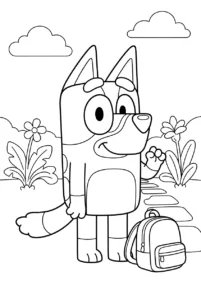


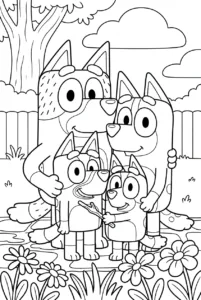
Printable Bluey Coloring Pages
Prefer coloring on paper? Explore our printable Bluey Coloring Pages collection.
 Bluey Coloring Pages