
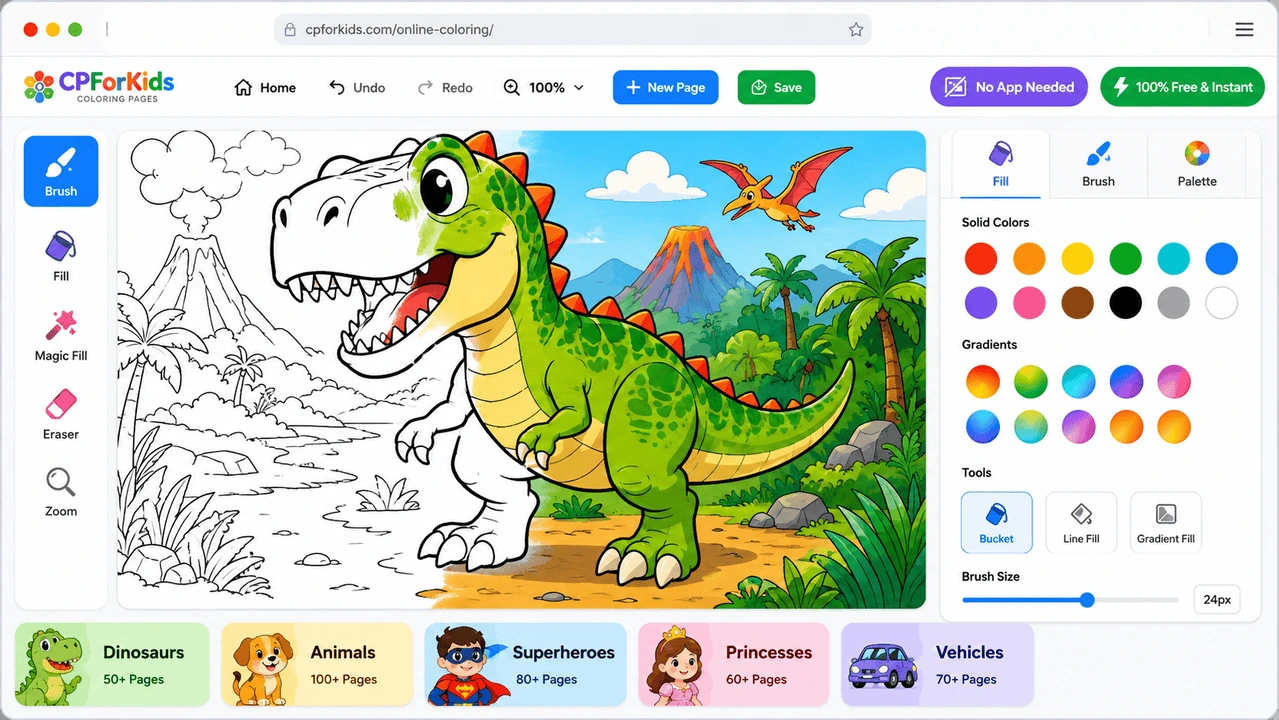

Color free online coloring pages right in your browser — no printing, app download, or sign-up required to get started. Choose a picture, pick your colors, and start creating on desktop, tablet, or phone.
Explore characters, animals, mandalas, superheroes, dinosaurs, cartoons, holidays, and more, then save your finished artwork or jump straight into another page.
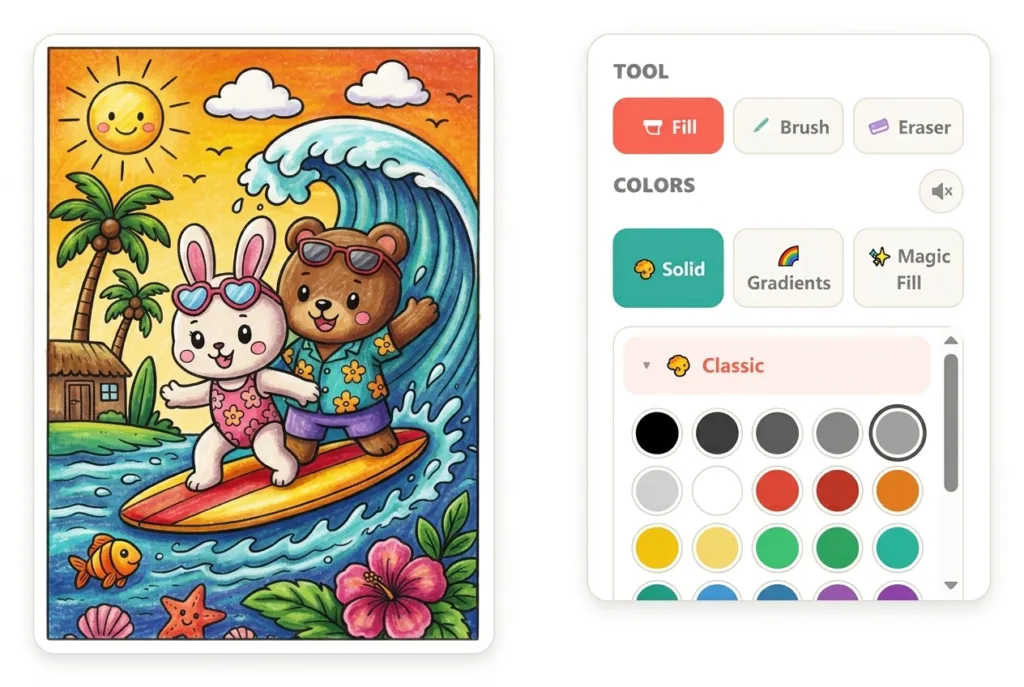
🎨 Created for CPForKids: Our online coloring pages are prepared for clear, enjoyable coloring on phones, tablets, and computers. Learn more about CPForKids and how our coloring pages are created →
Search Online Coloring Pages
Popular Online Coloring






Browse Online Coloring by Category










New Online Coloring Pages







Seasonal Favorites
Spooky and playful Halloween pages to color online.



How to Color Online
Start in seconds — no app, account, or complicated setup needed.
Choose a Picture
Browse the collection and open any page you want to color.
Add Your Colors
Fill large areas or use Brush, gradients, and Magic Fill.
Save Your Creation
Download the finished artwork as a PNG or PDF whenever you like.
Color Online or Print — Your Choice
Color directly in your browser on desktop, tablet, or phone — no app or account required. Save your finished artwork as a PNG or PDF, or switch to printable coloring pages when you prefer crayons, pencils, or markers.
CPForKids gives families, teachers, and homeschoolers a simple way to choose the format that works best for each activity.
FAQ
Is online coloring free on CPForKids?
Yes. You can choose a coloring page and use the CPForKids online coloring tool for free directly in your browser. No account or app download is required.
Do I need to download an app?
No. The coloring tool works directly in your web browser, so you can start coloring without installing an app or additional software.
Can I color online on a phone or tablet?
Yes. The online coloring tool works on desktop computers, tablets, and phones. You can color using touch controls on compatible mobile devices or a mouse on a computer.
Can I save my finished coloring page?
Yes. When you finish coloring, you can download your artwork as a PNG image or PDF file and keep it on your device.
Can I print the picture after coloring it online?
Yes. You can download your finished artwork as a PDF or PNG and print it at home. You can also explore our printable coloring pages if you prefer coloring with crayons, pencils, or markers.
Does my coloring progress save automatically?
Yes. The tool automatically saves your coloring progress on your device, allowing you to return and continue your artwork later.
What tools can I use to color?
You can use Fill, Brush, Eraser, solid colors, gradients, Magic Fill, zoom and move controls. The tool also includes fullscreen mode, sound controls, and undo and redo options.
Do I need an account to color online?
No. You can start coloring without creating an account or signing up.
Ready to Start Coloring?
Choose a free coloring page and start creating online — no app, account, or sign-up required.